Shopify Review Request WhatsApp Flow Guide
TL;DRShopify review request WhatsApp flows help stores collect more useful reviews after customers have actually received and experienced the product. The goal is not to beg for stars. The goal is to ask at the right post-purchase moment, make the review easy to leave, and route unhappy customers into support before they become public negative feedback.
Many stores already send review emails. Those can still work. WhatsApp becomes useful when review collection matters enough that email alone is too easy to miss, especially for delivered orders, COD-heavy stores, high-repeat products, or customers who already prefer chat-based updates.
The mistake is sending a generic "please review us" message immediately after fulfillment. A strong Shopify WhatsApp review flow waits for the right delivery moment, chooses the right customer segment, sends one clear request, and stops when the customer has reviewed, complained, refunded, or opted out.
Why Review Requests Work Well On WhatsApp
Reviews are a post-purchase trust asset. They help future shoppers understand product quality, sizing, delivery experience, packaging, support, and whether the product matched expectations.
The hard part is timing. If you ask too early, the customer has not used the product. If you ask too late, the purchase is no longer fresh. If you ask too often, the request feels like spam.
WhatsApp can work well for review requests because:
Customers usually notice WhatsApp faster than email.
The message can include the exact product, order, or review link.
A customer can reply with an issue before leaving a poor public review.
The flow can be tied to Shopify delivery, fulfillment, product, and customer data.
The same channel can support the next step, such as a thank-you, support handoff, reorder reminder, or loyalty nudge.
That does not mean every customer should receive a review request on WhatsApp. Use it for customers where the timing, consent, and product experience justify the extra attention.
If you are still planning the full post-purchase sequence, start with Shopify order updates on WhatsApp and then add review requests after delivery is handled cleanly.
The Review Request Flow At A Glance
A useful Shopify WhatsApp review request flow has six parts:
| Flow part | Decision to make | Good default |
|---|---|---|
| Trigger | What starts the review request? | Delivered order or delivery-confirmed window |
| Audience | Who should receive it? | Customers with consent, successful delivery, and no open issue |
| Timing | When should it send? | After the customer has had enough time to use the product |
| Message | What should the customer do? | Leave a short product or store review through one clear link |
| Fallback | What if the customer is unhappy? | Route replies to support before asking again |
| Metric | What should improve? | Review completion rate, review quality, fewer unresolved complaints |
The simplest version is one message after delivery with a direct review link. More advanced stores segment timing by product type, ask different questions for first-time and repeat customers, and send unhappy replies into a support path before asking for a public review.
Step 1: Trigger The Flow After Delivery, Not Just Fulfillment
Fulfillment means the order has moved through your store or warehouse process. Delivery means the customer has the product.
For review requests, delivery is usually the better trigger.
If your carrier data is reliable, use a delivered status or tracking event. If you do not have delivery confirmation, use a conservative delay after fulfillment based on your average shipping time.
| Product or delivery type | Safer timing |
|---|---|
| Digital product or instant access | 1-2 days after access |
| Fast local delivery | 1-3 days after delivery |
| Fashion, accessories, home goods | 3-7 days after delivery |
| Beauty, wellness, consumables | 7-14 days after delivery |
| Gifts or seasonal purchases | After the likely recipient has received it |
Do not ask for a review before the customer can judge the product. For example, a skincare product may need more time than a phone case. A coffee subscription may need enough time for the customer to try it. A clothing order may need time for fit and returns.
If delivery data is inconsistent, use a simple rule first: fulfillment date plus your typical delivery window plus a short buffer. It is better to ask a few days late than to ask before the package arrives.
Step 2: Send Only To Customers Who Should Be Asked
A review request is not just another broadcast. It should be filtered.
Good eligibility checks include:
The customer gave WhatsApp consent.
The order was delivered or is likely delivered.
The order was not canceled, refunded, returned, or marked as failed delivery.
The customer has not already reviewed the same product or order.
There is no unresolved support issue on the order.
The customer has not opted out of WhatsApp messages.
For many stores, the most important filter is issue status. If the customer has an open support ticket, failed delivery, return request, damaged item complaint, or refund request, do not send a public review request yet.
That customer may still become happy later, but the next message should be support, not a review ask.
Step 3: Choose The Review Destination
Before writing the message, decide where the review should go.
For Shopify stores, the destination usually falls into one of these paths:
| Destination | Best when | Watch out for |
|---|---|---|
| Product review app | You want reviews on product pages | The link should open the exact product/order review form |
| Store review page | You want brand-level social proof | The ask may feel less specific |
| Review app email flow | Your review app owns collection | WhatsApp should not duplicate the same ask too aggressively |
| Support or feedback form | You want private feedback first | Do not hide the public review path from happy customers |
If you use a review app such as Judge.me, Loox, Yotpo, Trustoo, Okendo, or another Shopify review tool, the best experience is a direct link to the right review form. Avoid sending customers to a generic homepage and asking them to find the review section themselves.
The more friction between the WhatsApp message and the review form, the lower the completion rate.
Step 4: Write A Message That Feels Like A Real Post-Purchase Ask
The message should be short, specific, and easy to act on.
Avoid this style:
Dear customer, please give us a five-star review.
That feels transactional and self-serving. A better request reminds the customer what they bought, asks for honest feedback, and gives one next action.
Review Request Message Example
Hi [first_name], hope you are enjoying your [product_name] from [store_name].
Could you share a quick review? It helps other shoppers choose with confidence.
Review here: [review_link]
First-Time Customer Review Message
Hi [first_name], thanks again for your first order from [store_name].
If you have had a chance to try [product_name], we would love your honest review. It only takes a minute:
[review_link]
Product Experience Message
Hi [first_name], how did [product_name] work out for you?
Your feedback helps us improve the product and helps other shoppers decide.
Leave a quick review: [review_link]
Support-First Review Message
Hi [first_name], checking in on your recent order from [store_name].
If everything looks good, we would really appreciate a quick review:
[review_link]
If something is not right, just reply here and our team will help.
This last version is useful when support issues are common. It gives happy customers a path to review and unhappy customers a path to resolution.
Step 5: Add A Reply Path For Unhappy Customers
Review flows should not treat every reply as success.
If a customer replies with a complaint, pause the review request path and route the message to support. The goal is to resolve the problem, not force a review while the customer is frustrated.
Useful reply handling rules:
| Customer response | Flow action |
|---|---|
| Positive reply | Send the review link again if they have not clicked |
| Negative reply | Pause review asks and open a support conversation |
| Product question | Route to support or product education |
| No response | Send at most one polite reminder |
| Review completed | Stop the flow and optionally send a thank-you |
| Opt-out language | Stop WhatsApp marketing messages |
This is where WhatsApp is more than a link delivery channel. It lets the customer tell you what happened before they leave a public review. That feedback can protect the brand experience when handled well.
Step 6: Use Reminders Carefully
One reminder can be reasonable. Multiple review reminders on WhatsApp can feel heavy.
A simple pattern:
Send the first request after the delivery/use window.
If there is no click, reply, or review, wait 3-5 days.
Send one short reminder.
Stop.
The reminder should be lighter than the first request.
Example:
Hi [first_name], just a quick reminder. If you have a minute, your review of [product_name] would really help other shoppers.
[review_link]
Thanks again.
Do not send a reminder if the customer replied with a problem, started a return, received a refund, opted out, or already submitted a review through another channel.
Step 7: Segment Timing By Product Type
The best timing depends on what you sell.
| Store type | Suggested approach |
|---|---|
| Fashion and accessories | Ask after delivery plus a few days, once fit and quality are clear |
| Beauty and skincare | Wait longer so the customer can actually try the product |
| Food and beverage | Ask after expected consumption, not immediately at delivery |
| Home goods | Give the customer time to unbox, install, or place the item |
| Electronics or gadgets | Wait long enough for setup and first use |
| Subscription products | Ask after the first cycle, then avoid asking every shipment |
For high-repeat categories, do not ask the same customer for a review after every order. Rotate review asks by product, customer lifecycle stage, and whether the customer has already contributed useful feedback.
What To Measure
Do not judge the flow only by sends.
Track the full path:
| Metric | Why it matters |
|---|---|
| Delivery rate | Confirms the WhatsApp message reached the customer |
| Click rate | Shows whether the review ask and link are clear |
| Review completion rate | Measures the actual outcome |
| Positive review rate | Helps understand customer satisfaction, but should not be the only goal |
| Negative reply rate | Reveals product, delivery, or support issues |
| Support recovery rate | Shows whether unhappy replies were handled |
| Opt-out rate | Warns when the ask feels too aggressive |
| Repeat purchase after review | Connects review engagement to retention |
The most useful review flow improves both social proof and customer experience. If review count rises but opt-outs and complaints also rise, the flow needs better timing or segmentation.
Common Mistakes To Avoid
The biggest mistake is asking too early. A customer cannot review a product they have not received or used.
Other common mistakes:
Sending the same review request through email, SMS, and WhatsApp on the same day.
Asking refunded, returned, or unhappy customers for public reviews.
Linking to a generic page instead of the exact review form.
Offering incentives without checking the rules of your review platform and market.
Using a long message when one clear ask would work better.
Sending too many reminders.
Treating negative replies as failed marketing instead of useful customer feedback.
If you already run email review requests, coordinate the channels. WhatsApp can be the primary channel for high-fit segments or a backup for customers who did not engage with email. It should not create duplicate pressure.
Where Retentionly Fits
Retentionly is built for Shopify WhatsApp retention automation, so review requests should connect naturally with the rest of the customer lifecycle.
A review request flow can sit after:
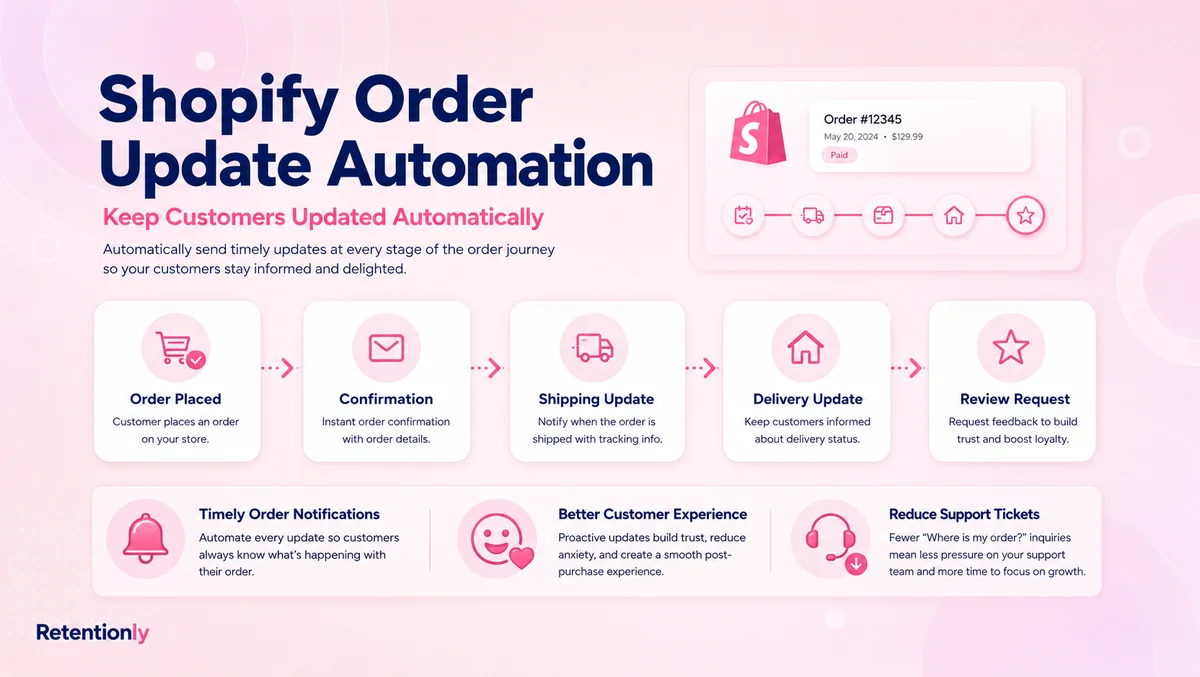
Order updates, once the order is delivered.
COD confirmation, when the customer received and accepted the order.
Post-purchase upsell or reorder flows, when the customer shows satisfaction.
Winback flows, when a lapsed customer returns and has a fresh experience.
The practical Retentionly setup is simple: choose the Shopify trigger, filter the audience, set the timing, write the message, add the review link, and stop the flow when the customer reviews, replies with an issue, or opts out.
That keeps the workflow focused on customer experience and repeat revenue instead of turning WhatsApp into another bulk messaging channel.
A Simple Launch Checklist
Before turning on a Shopify WhatsApp review request flow, confirm:
| Checklist item | Why it matters |
|---|---|
| WhatsApp consent is captured | Keeps the channel respectful and compliant |
| Delivery or timing logic is defined | Prevents premature review asks |
| Review destination is ready | Removes friction from the customer action |
| Support replies have an owner | Protects unhappy customers from automation dead ends |
| Refunds and returns are excluded | Avoids awkward requests |
| Reminder limit is set | Prevents over-messaging |
| Metrics are tracked | Shows whether the flow is actually working |
Start with one product category or one delivered-order segment. Watch replies closely for the first few weeks. The best review flow is not the one that sends the most messages. It is the one that asks at the right moment and makes it easy for satisfied customers to share proof.
When you are ready to automate review requests alongside order updates, COD confirmation, abandoned checkout recovery, winback, and repeat purchase flows, Retentionly gives Shopify stores a focused WhatsApp automation layer built around retention revenue.